Where they live and what they cover
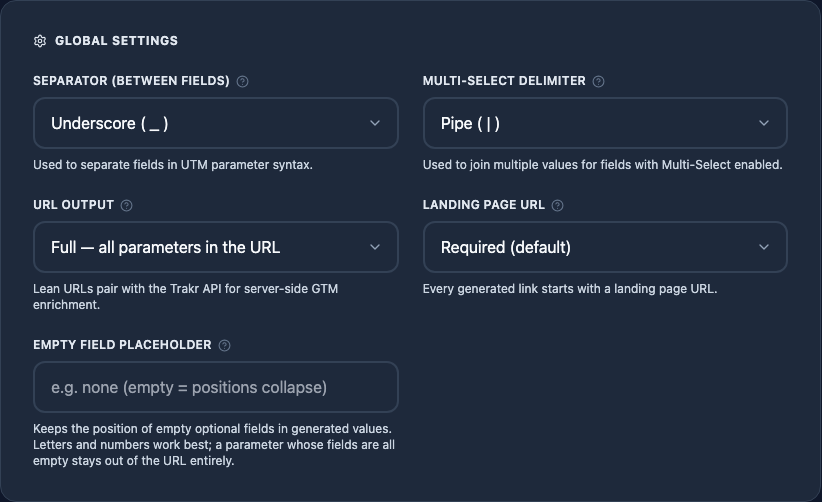
Global settings sit at the top of the syntax builder (Reconfigure Setup, then Configure Syntax). Everything here applies to the whole configuration rather than to a single parameter, and each saved configuration carries its own set. An agency can require landing page URLs for one client and turn them off for another.
One thing global settings never do: rewrite history. Links you already generated keep their URLs. A global setting shapes every link you build after the change.
Separator (between fields)
Joins the building blocks inside one parameter value. With _, country plus product becomes de_shoes. Pick a character that never appears inside your values, or your reporting splits will break. Trakr warns about characters with special URL meaning: a plus sign reads as a space in query strings, and a slash acts as a path delimiter in some tools.
Multi-select delimiter
When one field holds several values at once (say, two audiences), they are joined with this character so the whole list still counts as one building block. It must differ from the separator, and Trakr enforces that.
URL Output: Full or Lean
Full puts every parameter into the URL, which is the standard. Lean ships only the Campaign ID plus the custom parameters you keep, and pairs with the Trakr API for server-side GTM enrichment. The full story, including when Lean is the right call, lives on the Campaign IDs & Lean URLs page.
Landing Page URL: Required, Optional, or Off
Decides whether links need a destination URL at all. Three states:
| State | In the link builder | Output |
|---|---|---|
| Required (default) | The Context step asks for a URL and blocks Next until it is valid. | A complete tagged URL, as always. |
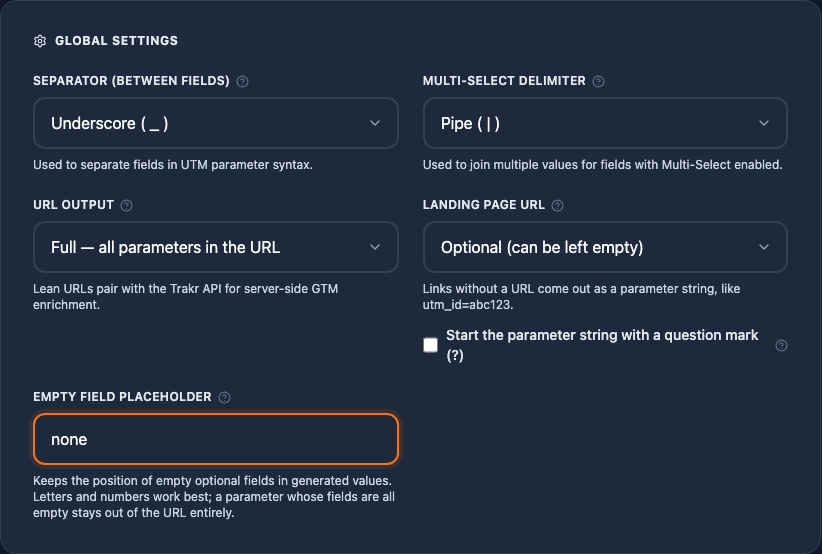
| Optional | The URL field stays visible but may be left empty. | A full URL when you enter one; a bare parameter string when you leave it empty. |
| Off | The Context step disappears; the flow starts at the campaign step. | Always a bare parameter string. |
The bare parameter string looks like utm_source=facebook&utm_medium=paid-social&utm_campaign=spring_de_launch and is built for one workflow in particular: teams that manage landing pages inside the ad platform and only need the tracking part from Trakr. Paste it into the Final URL suffix field in Google Ads and you are done.
Two details worth knowing:
- The question mark sub-option. Google Ads expects the suffix without a leading question mark, so that is the default. If your tool wants a query string that starts with
?, tick the box and Trakr adds it. - The preview tells you what you are getting. While the URL is empty on a relaxed configuration, the Live Preview shows a PARAMETER SUFFIX badge, and the history table disables the open-link icon for such entries because a parameter string is not a navigable address. Copy still works everywhere.
Empty Field Placeholder
When an optional field is left empty, its position in the value always survives. A four-field syntax emits a_b__d, the doubled separator marking the gap, never a shortened a_b_d where every later position shifts. Anything that splits the value by the separator finds the same number of positions in every link.
Set a placeholder, for example none, and the gap becomes readable for humans too:
| Empty field | Without placeholder | With placeholder |
|---|---|---|
| In the middle | trakr_dach__no-discount | trakr_dach_none_no-discount |
| At the end | trakr_dach_presales_ | trakr_dach_presales_none |
Here is the same configuration in the live preview, once with the placeholder set to none and once without. Four fields, Product Phase left empty:
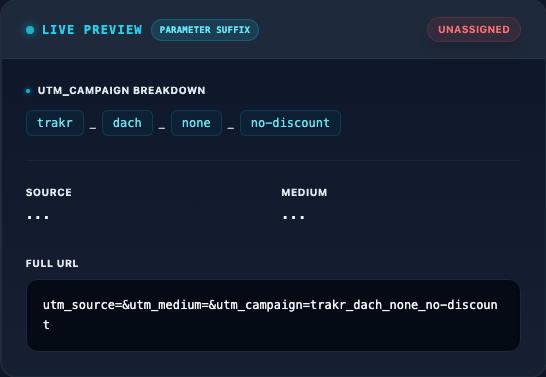
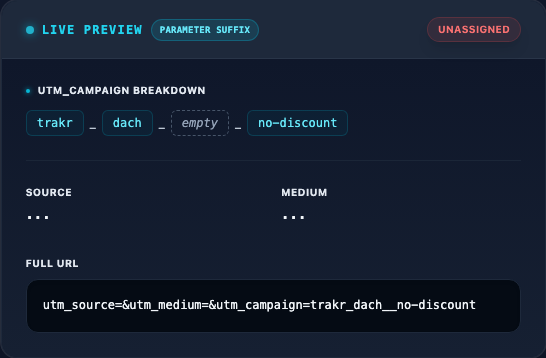
Both forms keep every position, so splitting on the separator always yields one entry per field. The placeholder form reads better wherever humans see the values, GA4 reports for example; without it the values stay shorter. Three rules keep gaps predictable: every gap keeps its slot, whether leading, middle, or trailing; a parameter whose fields are all empty stays out of the URL entirely, so a gap marker never becomes a value on its own; and the token is sanitized like any value, so it can never contain your separator and corrupt the split count.
Parsing strings is the fallback, not the goal. If your integration can call the Trakr API, read each link's values by field name from field_values instead; empty fields are included there explicitly. The API page has the details.
Related: per-field Required
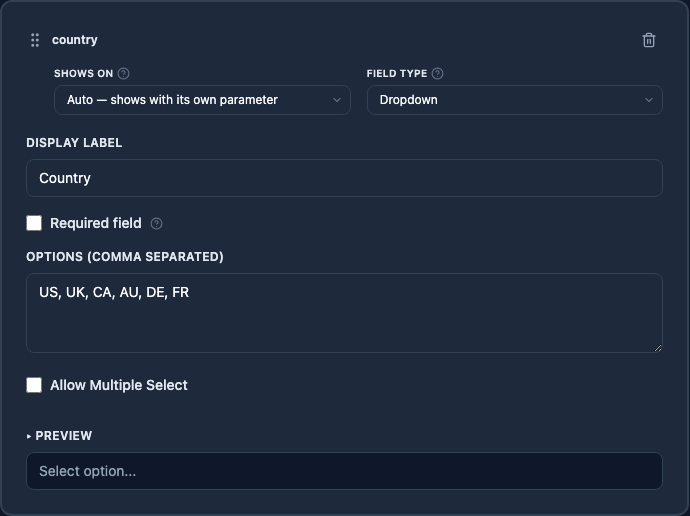
Whether a single field may stay empty is not a global setting; it lives on the field itself. Dropdown, Text, and Date field cards in the syntax builder carry a Required field checkbox. Required fields block the link builder's Next button until they have a value; optional fields can stay empty, and their position in the generated value stays put either way. The placeholder above only decides whether that gap shows as a doubled separator or a readable token.