The problem this solves
A fully tagged URL carries eight or more parameters: source, medium, campaign, content, term, and whatever custom parameters your stack needs. That has three costs:
- Fragility. Long URLs get trimmed by ad platforms, mangled in email clients, and edited by hand. One typo and the session lands in Unassigned.
- Leakage. Your campaign taxonomy, funnel stages, and audience names are readable by anyone who looks at the URL, competitors included.
- Rigidity. Once a link is live, its parameters are frozen. A naming fix means re-tagging running campaigns.
The alternative: the URL carries one stable ID, and the full parameter set lives in Trakr, resolved server-side when the click arrives.
Step 1: configure the Campaign ID
The Campaign ID is GA4's native utm_id parameter, and it has its own tab in the Syntax Builder. Two ways to fill it:
- Auto ID field (recommended). Add a field to the Campaign ID structure and set its type to Auto ID (generated). Trakr then mints a unique 8-character ID, like
k7f3a2cq, for every link it creates, including per row in bulk generation. No naming discipline required, and every lookup resolves to exactly one link. - Compose your own. Build the structure from your fields, for example campaign name plus channel. Readable by humans, but the combination must be unique per link: one campaign usually has one link per channel, and an ID that only says "summer campaign" cannot tell Paid Social from Email.
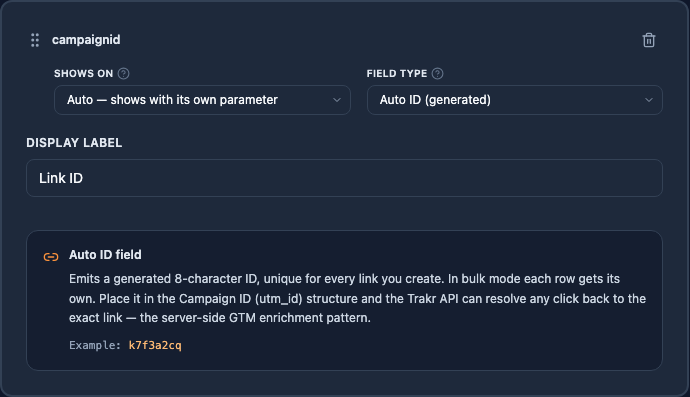
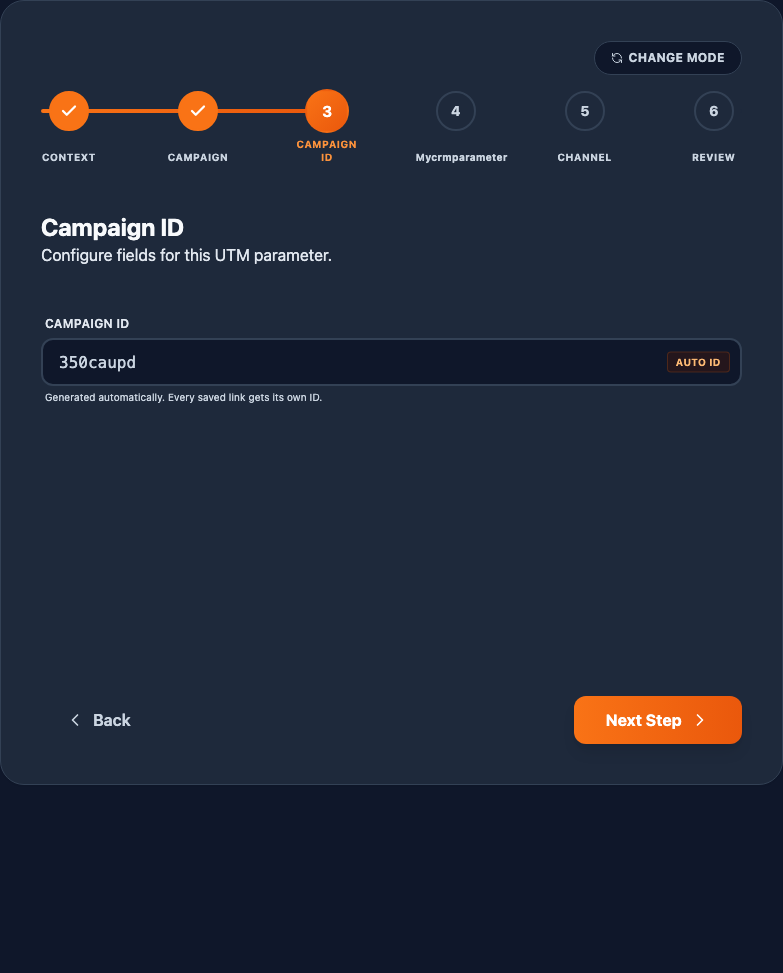
The one design rule: the ID must identify a single link, not a whole campaign. The Auto ID field satisfies this automatically. Composed IDs need a channel-level field in the structure.
Step 2: shorten the URL with the Lean profile
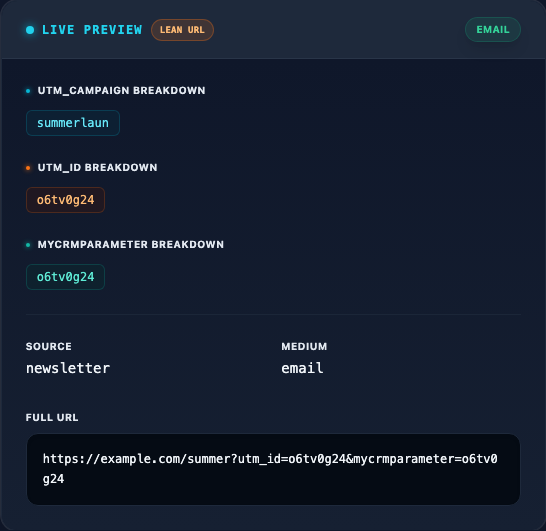
By default Trakr emits every parameter into the URL (the Full profile). To carry only the ID, open the Syntax Builder's Global Settings and switch URL Output from Full to Lean. A Lean URL looks like this:
https://example.com/summer?utm_id=k7f3a2cq&mycrmparameter=dach_launch_awareness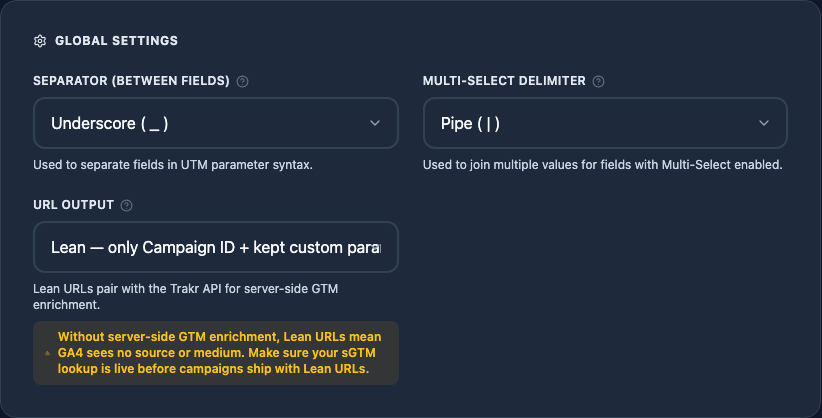
Two things to know:
- Custom parameters have a keep switch. Parameters that feed client-side consumers, a CRM capturing its value from the landing URL for example, should stay in the URL. Each custom parameter gets a "Keep in Lean URLs" checkbox on its tab, checked by default. Uncheck it only when nothing on your site reads that parameter client-side.
- Everything is still stored. Source, medium, campaign, content, and the predicted GA4 channel are built and saved for every link exactly as in Full mode. Lean changes only what the public URL carries.
Switch to Lean only after your server-side lookup is live. Without enrichment, GA4 receives hits with no source or medium and reports the traffic as direct. Trakr shows this warning on the setting and flags a Lean configuration whose Campaign ID structure is empty.
Step 3: resolve the ID server-side
When a click arrives, your server-side GTM container reads utm_id from the incoming hit and asks the Trakr API for the rest:
GET /v1/links?campaign_id=k7f3a2cq&per_page=1
Authorization: Bearer trakr_live_...
The response carries everything Trakr knows about that link: source, medium, campaign, content, custom parameters, and the predicted GA4 channel. From there, two common destinations:
- Into GA4. sGTM writes source, medium, and campaign onto the event before it goes out. GA4 attribution works exactly as if the URL had carried the full parameter set, and nobody outside your stack ever saw the values.
- Into your database. The same lookup enriches events flowing to BigQuery, your warehouse, or a CDP, so offline joins use governed campaign metadata instead of parsed URL strings.
Two habits for anything in the tracking path: cache lookups for about 5 minutes in your sGTM template (responses send cache headers and ETags), and fail open, meaning if the API is unreachable, send the hit with the ID you have rather than dropping it. API keys, endpoints, the response schema, and rate limits are documented on the API page.
What your team's workflow looks like
- Marketing builds campaign links in Trakr, exactly as before. The configuration mints the ID automatically.
- Ads, emails, and posts ship with short URLs carrying only the ID (plus kept custom parameters).
- Clicks arrive, sGTM resolves the ID via the API, GA4 and your database receive full, governed campaign data.
- Need to understand a link months later? Paste its ID into the API or find it in your Trakr history: the full context is there.