Your whole campaign tagged error-free, in minutes.
Set your naming rules and channels once. After that, anyone on your team clicks through a guided flow, generates every URL for the campaign in one pass, and each one is checked against GA4's channel definitions before it ships. No spreadsheet, no briefing document, no Unassigned.
Your campaigns are breaking in GA4. You just don't see it yet.
The teams we work with keep hitting the same symptoms. They only show up when someone opens the channel report and finds traffic sitting in Unassigned.
Every agency uses different naming
Three agencies, three naming conventions. One writes "google / cpc," the next writes "gdn / banner," and the third invents something new every quarter. Your GA4 channel groupings break.
Nobody updates the UTMs after launch
Source and medium get set once when the campaign launches. When the creative changes, the channel changes, or the landing page moves, the UTMs stay frozen. GA4 reports stale data.
Good traffic lands in Unassigned
Campaigns that should show as "Paid Social" or "Display" end up in Unassigned because the source/medium combination doesn't match GA4's channel definitions. The data is there. The mapping broke.
THE FIX
Every URL shows its GA4 channel before you copy it.
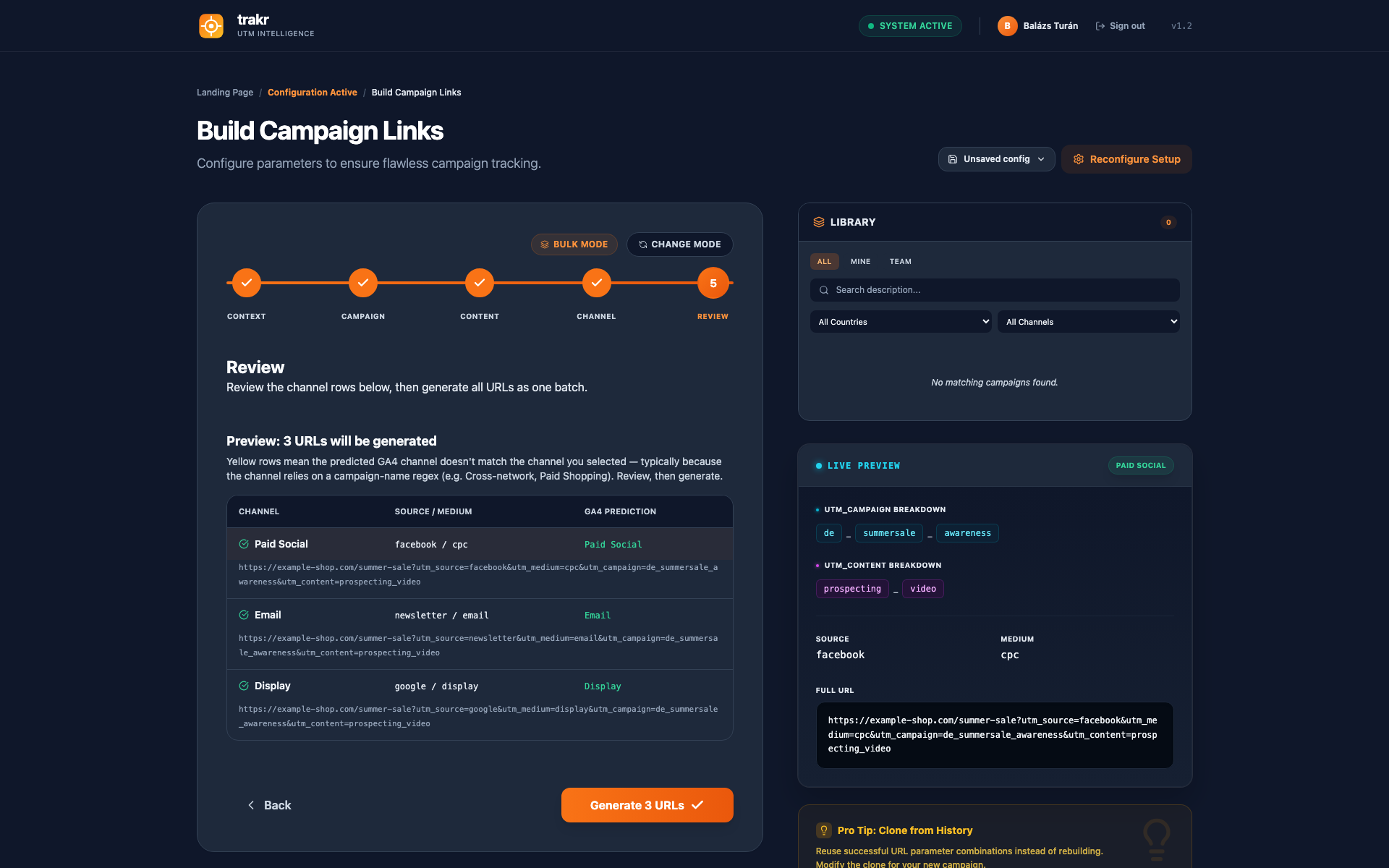
Trakr checks each link against the channel rules in your workspace, mirrored from GA4. Green means it lands where you intend. Amber means fix it before it ships. The check happens where the mistake happens, at creation, while you can still change it.
This is the one thing Google's builder, UTM.io, Terminus, and CampaignTrackly do not do.
Built by someone who spent 16 years watching campaigns fall into Unassigned.
Trakr is not a weekend project. It is the distillation of every UTM failure I have seen across 50+ enterprise analytics projects, and the tool I built to make sure it stops happening.
Built by
Balázs Turán
Digital analytics consultant with 16 years in the field. I have built analytics departments from scratch at Metro AG, designed tracking strategies for Zürcher Kantonalbank's entire digital ecosystem, and led the European GA4 migration of a global automotive OEM. Every project, same story: UTMs are a mess, channels break, nobody has a tool that does it right. So I built one.
16+
Years in analytics
10+
Enterprise brands
50+
Analytics projects
Enterprise experience: Metro AG, Zürcher Kantonalbank, Peek & Cloppenburg, Commerzbank, a global automotive OEM, 20+ e-commerce brands via econda
Every other tool gives you empty text fields. Trakr gives you a guided flow with preconfigured rules.
A guided flow with rules built in
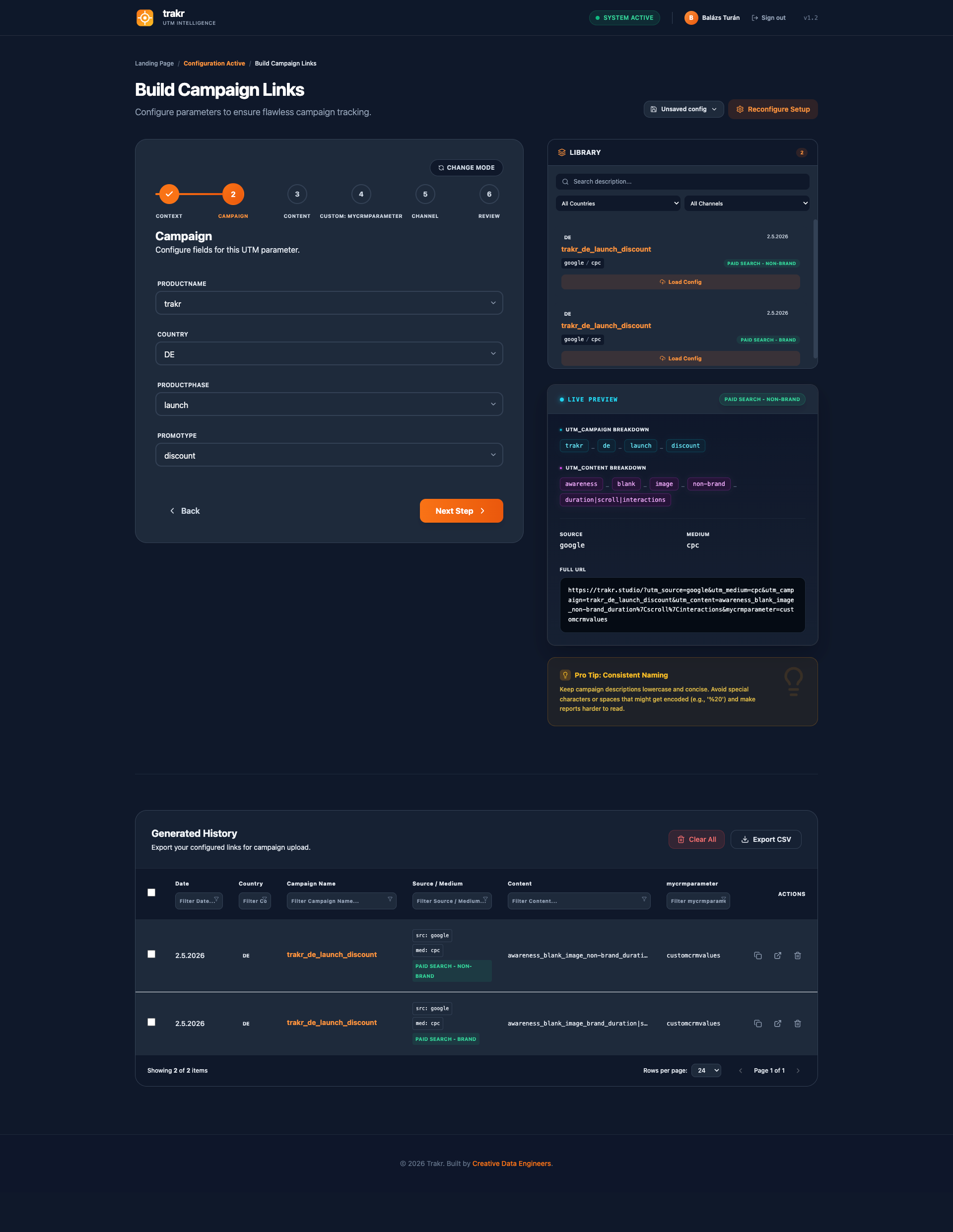
Works like a checkout funnel. Each step asks one question, validates your input, and moves you forward. You pick from dropdowns instead of typing free text. The wizard adapts to your configuration: add a parameter, a new step appears. Remove one, it disappears.
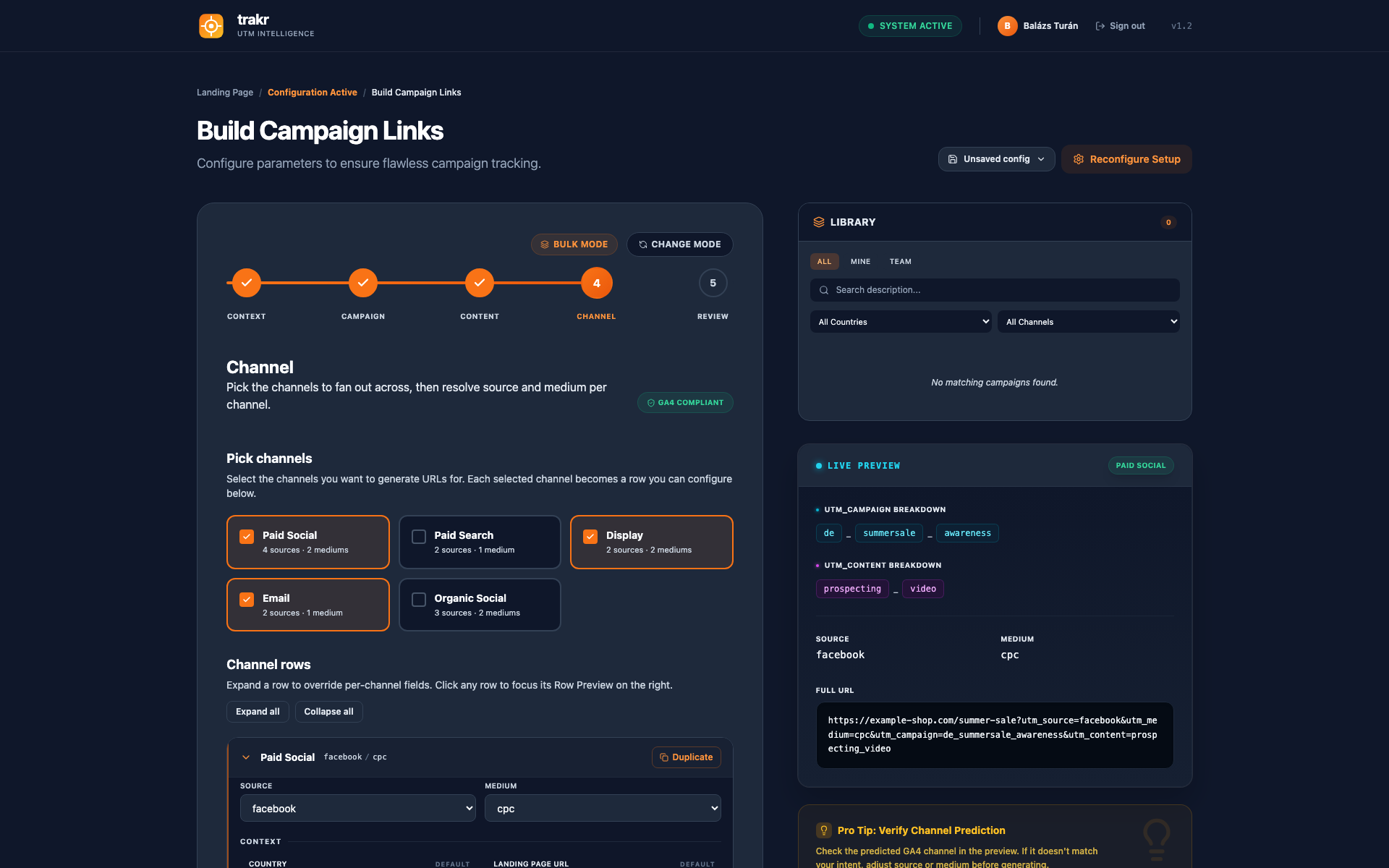
Channel selection drives source/medium
Pick "Paid Social" and the tool knows the correct source/medium for GA4. Pick "Display" and it sets the right combination. No guessing, no checking the documentation, no Unassigned in your channel report.
Configurable taxonomy and syntax
Define which fields go into each UTM parameter, in what order, with what separator. Your utm_campaign becomes [country]_[product]_[objective]. Set it once, everyone follows it. No naming convention drift.
Build once, share with your agency
You build the configuration: your taxonomy, your channel definitions, your dropdown values. Then share access with your agency. They use your tool, with your rules, to create URLs for your campaigns. No briefing documents. No "please use this spreadsheet."
One complete URL, UTMs and beyond
Campaign URLs often need parameters for Salesforce, CRMs, or internal attribution. Trakr includes those in the same flow.
GA4 compliance check at creation time
Every URL checked against your workspace channel rules before export. Green badge: correct channel. Amber badge: fix before launch.
QR codes for offline campaigns
Turn any saved link into a print-ready QR code. Download one as PNG or SVG for a poster, or a whole batch as a ZIP for an event. The predicted GA4 channel shows before it goes to print.
BUILT FOR
Three roles. One problem. One tool.
Marketing Ops Manager
UTMs are a mess, data quality complaints in every reporting meeting.
Every URL validated against your GA4 channel grouping before it leaves the tool.
Growth Lead
Your cost-per-channel numbers are wrong because tagging is broken.
Every campaign URL leaves Trakr GA4-compliant. No more channels landing in Unassigned.
Agency Paid Media Lead
Client reporting overhead, UTM standards drift across markets.
Build the config once, share with the client, everyone follows the same rules.
SEE IT IN ACTION
From template to campaign link in under a minute.
Pick an industry template. Configure your syntax once. Then build GA4-compliant campaign URLs from dropdowns. No spreadsheet needed.
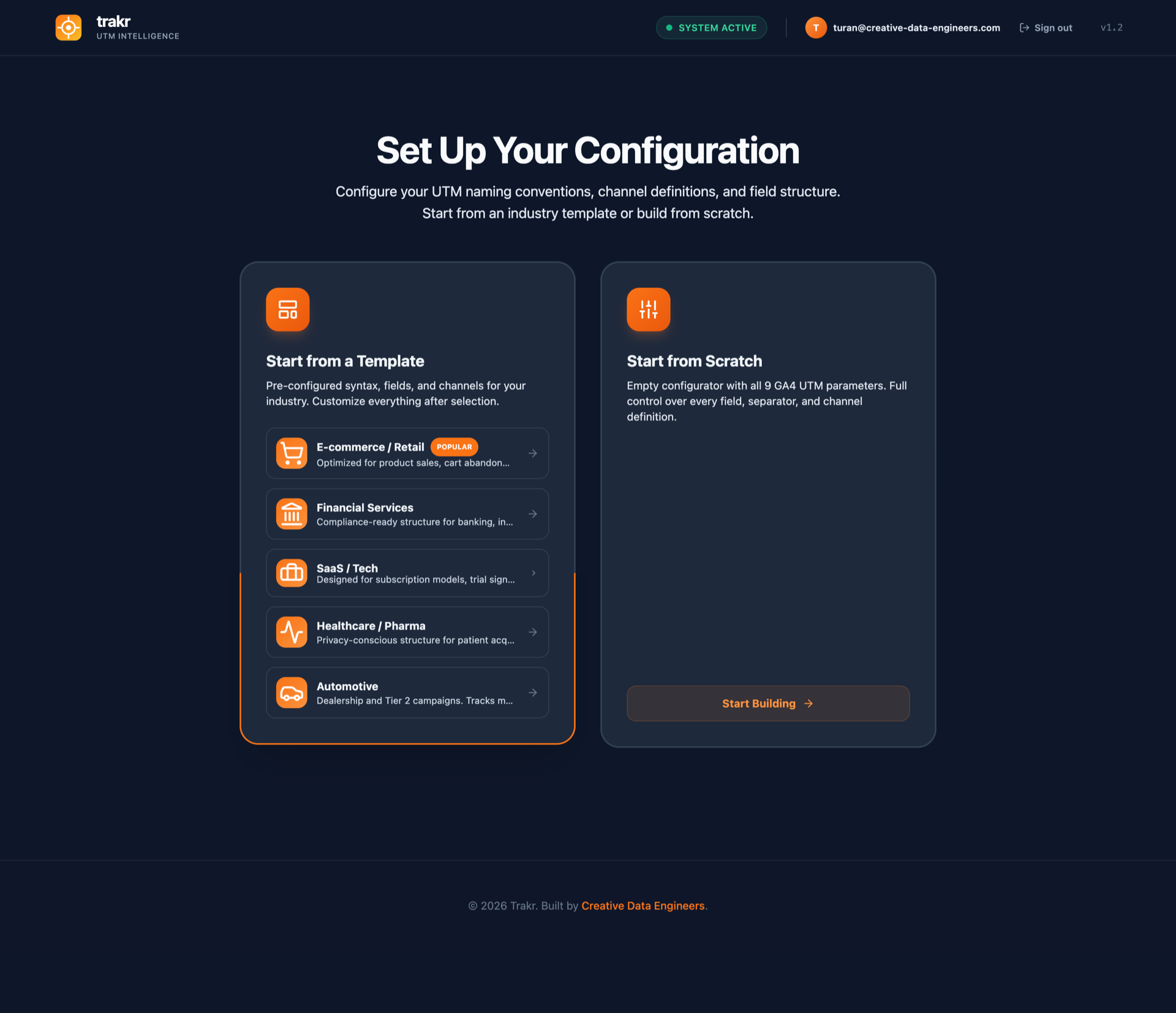
Choose your starting point
Pick an industry template or start from scratch. Pre-built syntax, fields, and channel definitions included.
1 / 4
HOW WE COMPARE
What existing tools are missing.
We compared Trakr with the campaign URL tools teams evaluate most. Here's what we found.
The full API and the MCP connector ship with every Pro plan. Same channel rules, same syntax validation, same governance in both.
The Trakr API
Your campaign data, one request away
Every link your team builds in Trakr is retrievable by API, and your automations can create links, batches, and whole configurations the same way: source, medium, campaign, predicted GA4 channel, and every custom parameter. Combine it with Trakr's Auto ID and Lean URLs and your tracking URLs carry one short ID while your server-side GTM pulls the full campaign data per hit. Keys are created in Settings.
Connect Claude, ChatGPT, or any assistant that supports the Model Context Protocol with one address. Create client workspaces, maintain configurations, and generate validated campaign links by describing what you need in plain language. Every action runs through the Trakr API with your permissions, so your assistant follows the same rules your team does. Setup is one paste in your assistant's settings.
you:Create the spring sale links for meta and google ads in the ACME workspace.
→Done. 2 validated links saved to ACME's history. Channels: Paid Social and Paid Search. Nothing lands in Unassigned.
Trakr is a campaign URL builder designed for GA4. You set up your naming conventions, channel definitions, and field structure once. After that, anyone on your team follows a guided flow and gets a correctly formatted URL with the right source, medium, and campaign parameters. Every URL is validated against GA4's channel definitions before you copy it.
Trakr is free for solo use: every UTM building feature, all 9 GA4 parameters, custom syntax rules, and channel validation, with no credit card and no signup required to build your first URL. The Pro plan costs €29 per month (or €290 per year, which is two months free) and adds what teams need: a shared workspace with 5 seats included (extra seats €10/month each), shared team configurations, bulk URL generation, full link history, and full API access.
Google's tool gives you seven empty form fields. You type whatever you want, hit generate, and hope the source/medium combination ends up in the right GA4 channel. There's no validation, no naming convention enforcement, and no way to share a configuration with your team. Trakr replaces that with a step-by-step flow. You pick a channel, the tool sets the correct source and medium, and you fill in the rest from preconfigured fields. The output follows your naming convention every time, and every URL is checked against GA4 channel definitions before you copy it.
You start by picking a GA4 channel, like "Paid Social" or "Display." That selection sets your source and medium automatically based on GA4's channel definitions. Then you move through a series of steps: country, campaign subject, ad format, funnel stage, and whatever else your configuration includes. Each field can be a dropdown, a text input, or a date picker, depending on how you set it up. The values you pick are assembled into your utm_campaign, utm_content, and any other UTM parameters following the naming syntax you defined during setup. At the end you get a full URL with all parameters, validated against GA4.
Yes. You build the configuration once: your channels, your field values, your naming syntax, your field structure. Then you share it with your agency. They open the same tool, see your rules, and build URLs from your configuration. No briefing documents, no "please use this spreadsheet," no back-and-forth about which source to use for TikTok campaigns. They follow the flow, and the output matches your conventions.
Currently, yes. Trakr is built for marketing teams who track campaigns in Google Analytics 4. UTM parameters define how campaign information lands in GA4, and two of those parameters (source and medium) determine which channel your traffic gets assigned to. That's the core problem we solve: making sure every URL you build actually maps to the right channel and you have the campaign information you need in GA4 to judge your campaign performance. If there's demand for other platforms, we'll extend support.
Add them. In Trakr, you can define custom parameters for whatever your stack needs: Salesforce campaign IDs, internal attribution tags, CRM identifiers, ad platform click IDs. They show up as steps in the same guided flow, and the values end up in the final URL alongside your UTM parameters. One tool, one URL, everything in it.
Yes. Every Pro workspace includes the full Trakr API: read, write, and configuration management. You create an API key under Settings, then create and query links, batches, and configurations over HTTPS. The main use case is server-side enrichment: your tracking URLs carry one short ID, and your server-side GTM looks up the full campaign data per hit. Rate limit is 120 requests per minute per key. Full documentation lives in the Help Center.
MCP stands for Model Context Protocol. It's a standard that lets AI tools like Claude or ChatGPT connect to external applications. Trakr's MCP connector is live and included in Pro: add one address in your assistant, sign in, and describe what you need in plain language to get validated URLs, configurations, and client workspaces back. Same rules, same naming convention, no manual steps. The setup guide lives in the Help Center.
No. Trakr is live at app.trakr.studio and you can pick a template, configure your syntax, and build validated campaign URLs without signing up. Everything is stored in your browser. Create a free account when you want your configuration and link history saved to the cloud and available on any device. A paid plan only becomes relevant when your team wants to share one workspace.
📖 Free Guide
Google Ads + GA4: What Auto-Tagging Controls, What You Control
The complete breakdown. Which dimensions GA4 keeps, which it ignores, how to build custom channel grouping that works with auto-tagging, and a ready-to-use naming convention for utm_campaign and utm_content.