Profile
Name and email
Your display name is editable and appears wherever teammates see your activity, for example on history entries you created. Your email is read-only: it is the identity of your account. If you signed in with Google or Microsoft, the address comes from that provider and changing it inside Trakr would break your sign-in. Need to move to a different address? Write to support@trakr.studio.
Password
What the Password card shows depends on how you registered:
- Email and password: a change-password form, right on the page.
- Google or Microsoft: a notice that your password is managed by your identity provider. There is no separate Trakr password for these accounts, and you never need one; you always sign in through the provider button.
Forgot your password?
If you registered with email and password, choose Forgot your password? on the sign-in screen and enter the email address for your Trakr account. Open the reset email to reach Set a new password. Your new password must contain at least 8 characters, and both entries must match.
The link can be used once. Trakr removes its one-time credentials from the address bar as soon as the recovery page opens. If the link has expired or was already used, return to sign in and request a fresh email.
Billing
All URL-building features are free for everyone. Pro adds collaboration and scale: team members, bulk generation, unlimited saved configurations, and full history (Free shows the 50 most recent entries; older ones are preserved and reappear on upgrade). Current prices are on the pricing section.
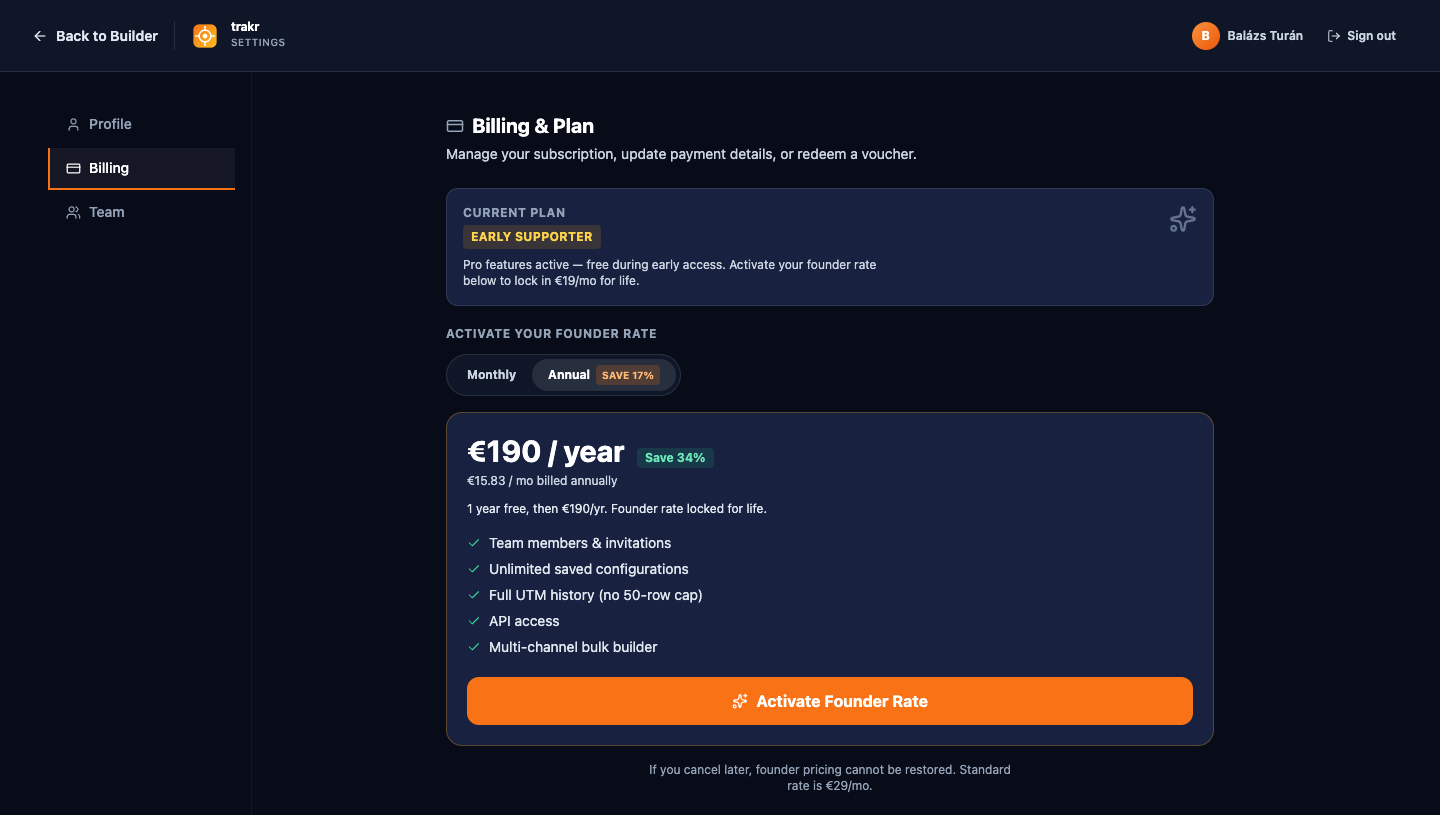
The Billing page adapts to your plan state:
| Your state | What you see |
|---|---|
| Free | The upgrade card with a monthly / annual toggle, plus voucher redemption if you hold a code. |
| Pro (subscription) | Your plan summary and a Manage Billing button that opens the Stripe customer portal for invoices, payment method, and cancellation. Cancelling keeps Pro active until the period ends and the page shows the exact date. |
| Pro (early supporter) | Pro is active free of charge, for life. Early supporters who redeemed a beta voucher keep everything without ever paying. |
| Payment problem | A past-due warning with an Update Payment Method button. Pro stays active during the grace period. |
Team seats
Your Pro workspace includes a set number of seats; every member (including you) takes one. The seat summary card on the Billing page shows used and available seats and sells additional ones in the same monthly or annual cycle as your base plan. If an invitation would exceed your seats, the Team page tells you and links you straight to the seat purchase.
Team
The Team page (Pro) is where your workspace becomes shared infrastructure. Members do not need their own subscription: one Pro workspace covers everyone, and each member takes one seat.
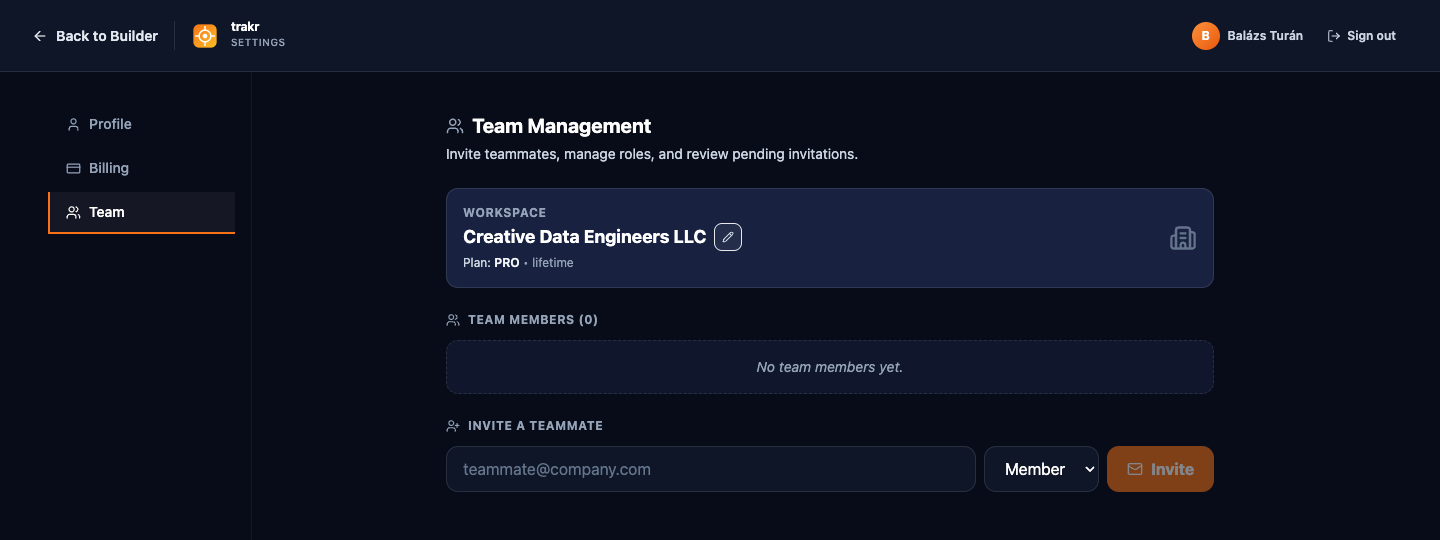
Inviting someone
- Enter their email and pick a role (member or admin). The invitation appears under Pending Invitations, where you can revoke it while it waits.
- They receive an email with an Accept invitation button, valid for 7 days.
- They sign in (or sign up, any method) and accept. From that moment they are in your workspace: your shared configurations appear in their builder, and the team's history becomes visible per the workspace rules.
Roles
| Member | Admin | |
|---|---|---|
| Build URLs, use shared configs (read-only), manage own profile | Yes | Yes |
| Invite / remove members, change roles | No | Yes |
| Rename the workspace | No | Yes |
| Manage billing and seats | No | Yes |
| Share, edit, and star team configurations | No | Yes |
How members and your account relate: members work inside your workspace, under your subscription. They do not get a separate workspace or plan of their own. What they build lands in the shared history; what they may edit is governed by their role. See Configurations & sharing for exactly what shared configs let them do.